Scan, edit, sign, encrypt, redact and organize — all on-device, all in one app. No cloud, no account, no subscription gates on real work.
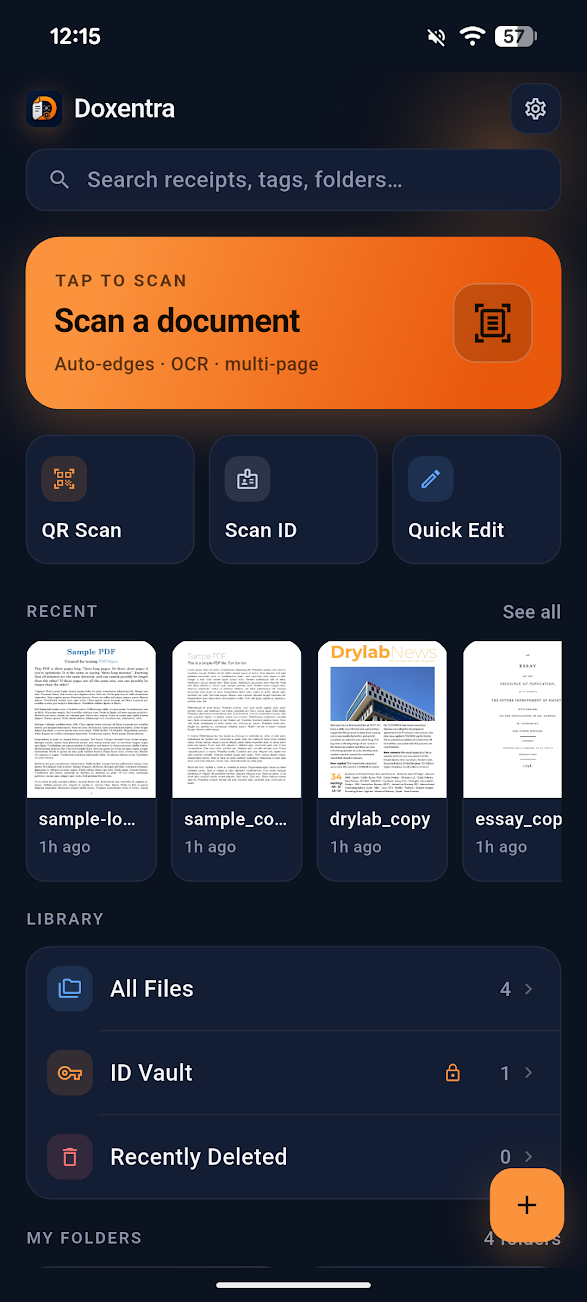
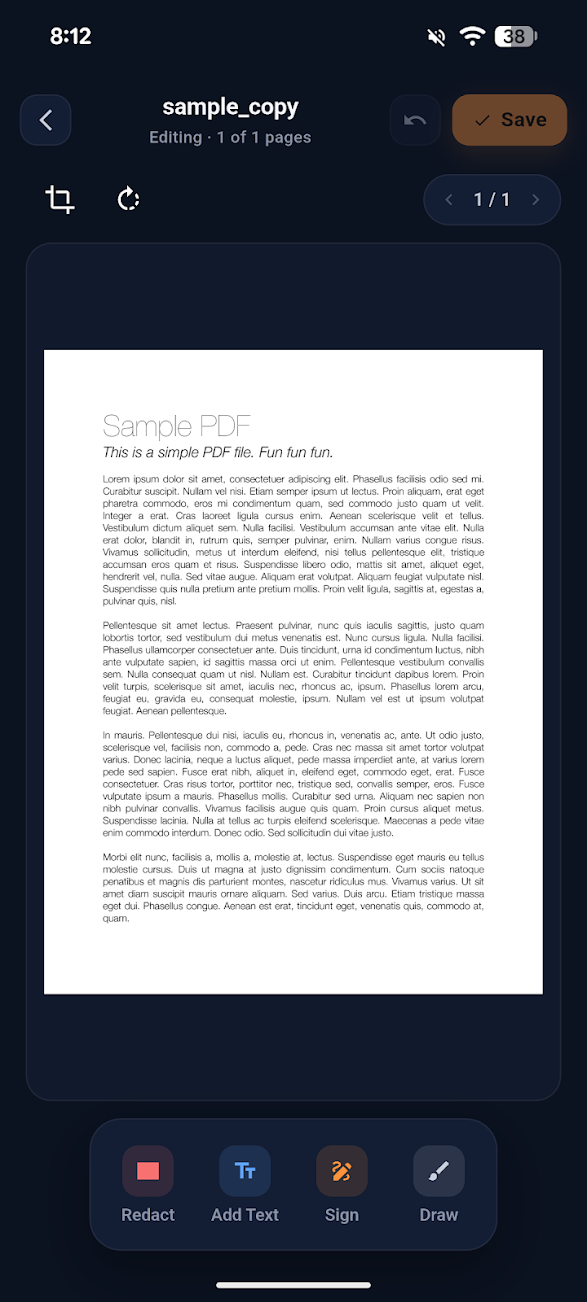
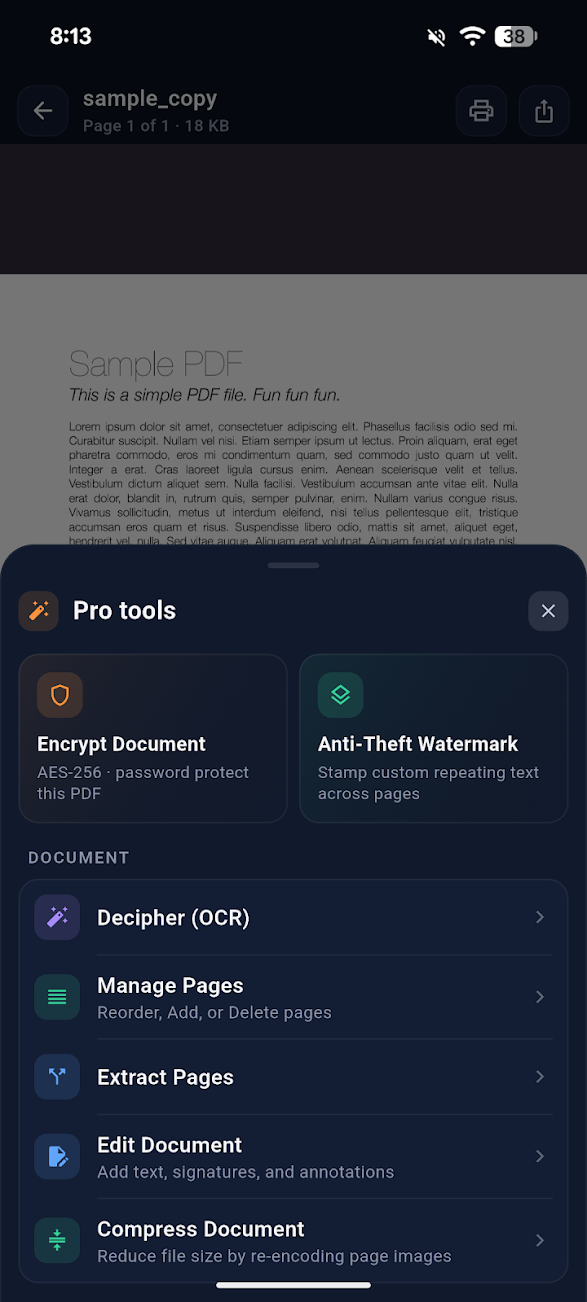
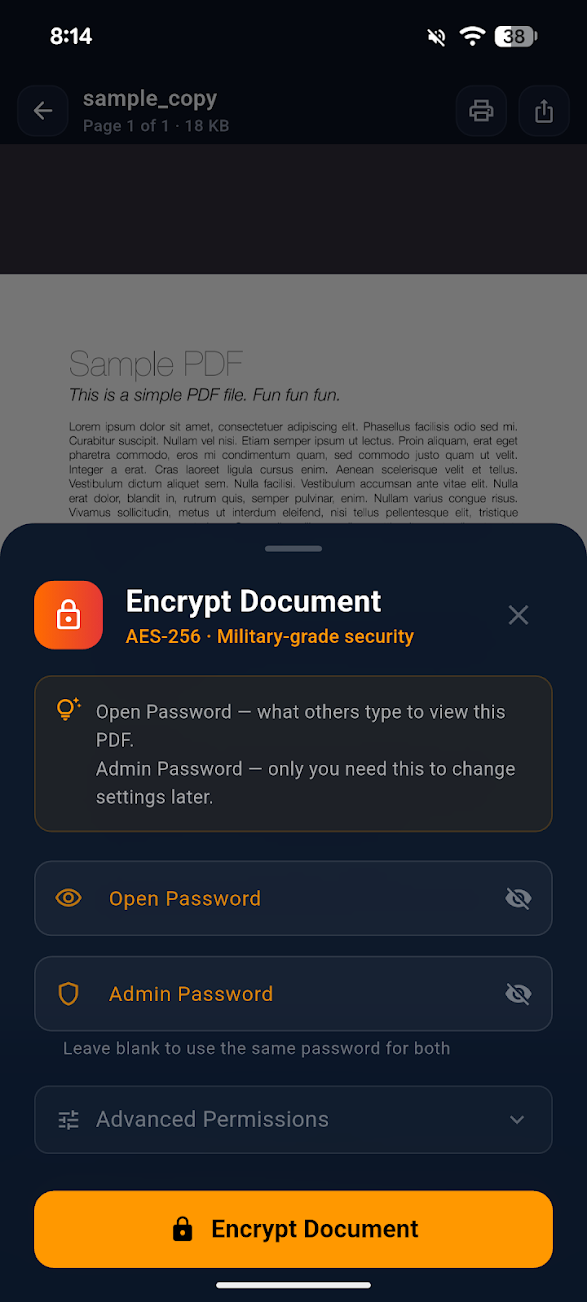
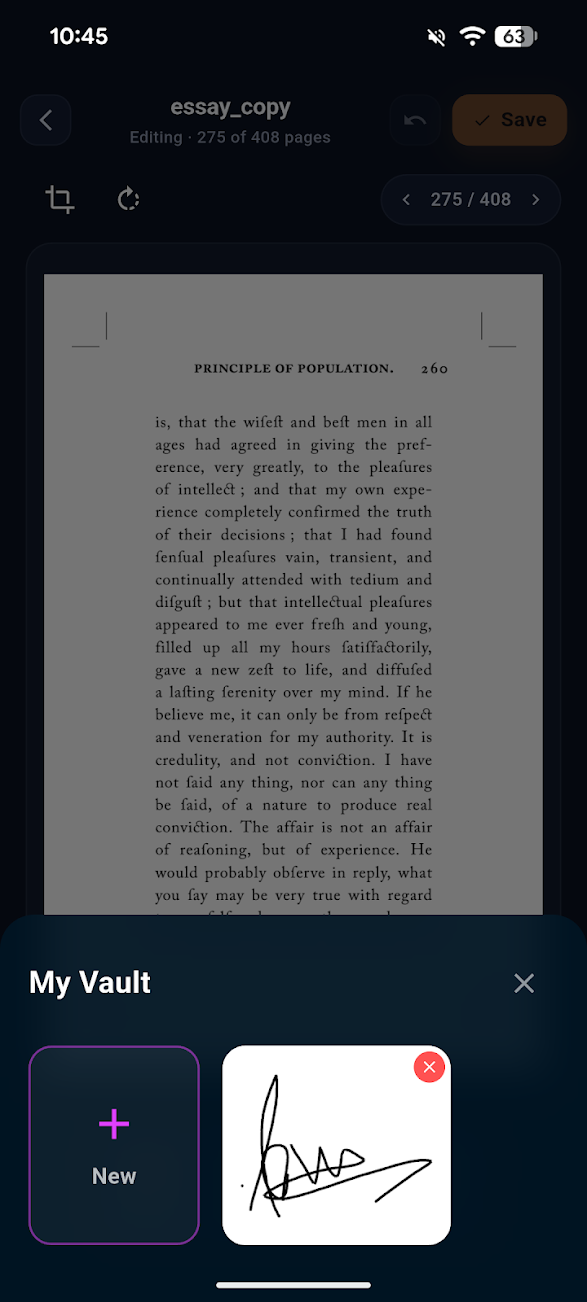
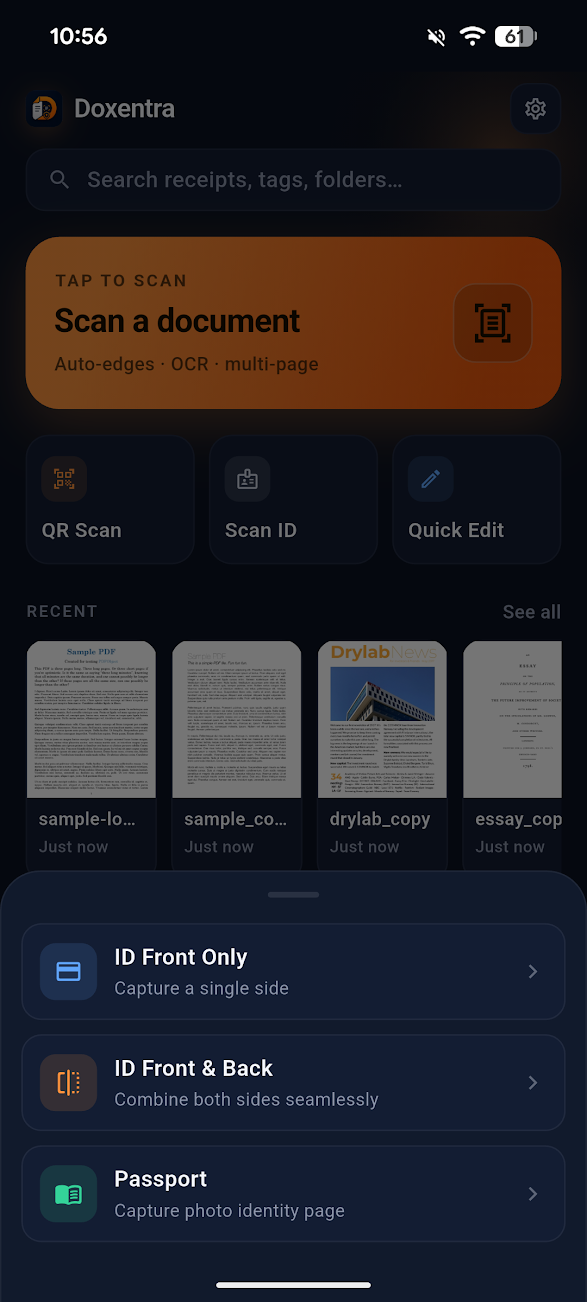
Actual Doxentra screens for editing PDFs, opening pro tools, and locking sensitive files with local encryption.
Pick a tool below to see how it works on-device. No round trips to a server, no waiting on quota.
Real-time boundary detection finds the page edges before you press the shutter. Capture a stack in one session, then re-order pages with a drag.
Nova gives your documents room to breathe. Drag scans anywhere, pin the files you need most, connect related pages and run a polished set of macro tasks without losing the privacy-first workflow.
Every step happens locally — your phone is doing the work, not a remote server.
Real-time edge detection finds page boundaries before you press the shutter. Multi-page in one go.
On-device OCR pulls text, suggests filenames, removes shadows and corrects perspective.
Drop a stored signature, annotate, redact, or merge with another PDF. Drag pages to re-order.
Set AES-256 owner & view passwords. Share the file — keep the keys on-device, on you.
A pocketable replacement for desktop PDF software — no monthly subscription, no per-document quota.
Combine documents losslessly. Extract a single page or a range. Drag to re-order before exporting.
Independent owner & view passwords with granular permissions: print, copy, edit — restrict separately.
Reusable Signature Vault. Add text, highlight, draw, stamp dates. A full layer over any PDF.
Solid or "Classified" blocks that destroy underlying glyphs — safe to share without leak risk.
Convert pages to JPEG/PNG batches; build a PDF from any image set. ZIP export ready.
Three quality presets shrink file size for upload limits — without softening type or readability.
Anti-theft watermarks, "Draft" stamps, page numbers and date stamps applied across the whole doc.
Organize with nested folders, color tags, and instant search across OCR-extracted text.
Two-stage delete: 30-day Trash for accidental tap-aways, then permanent erase on your terms.
Privacy isn't a marketing layer — it's the architecture. There is nowhere on our infrastructure for your documents to live, because the architecture won't allow it.
A side-by-side look at how Doxentra compares to the typical mobile scanner experience.
| Capability | Doxentra | Typical mobile scanner |
|---|---|---|
| OCR & smart naming | ✓ On-device, free | Cloud OCR, premium-only |
| AES-256 PDF encryption | ✓ Owner + view passwords | Often paywalled or unavailable |
| True redaction | ✓ Glyphs destroyed | Black box overlay only |
| Cloud upload | ✗ Never | Often required for sync |
| Trackers / analytics SDKs | ✗ None | Multiple SDKs, ad networks |
| Account requirement | ✗ None | Email or social login |
| Subscription gating | ✗ None on core tools | Per-page or per-month |
"I run a tax practice. Switched the whole team to Doxentra because clients trust me with documents I now never have to upload anywhere. AES-256 export is the killer feature."
"Edge detection is genuinely on par with my old desktop scanner. The fact that the OCR runs offline on a flight, with no quota, is wild."
"The redact tool is the first one I trust. I checked the export with text extraction afterwards — the redacted bytes were genuinely gone."
Free. Offline. No account. Install once and own the workflow.